Ask Wave (Wave Assistant)
Ask questions across every session you've recorded — or narrow the chat down to one folder or one recording.
Ask Wave (also called Wave Assistant) is the AI chat built into Wave AI. Ask it a question, and it searches your sessions, reads the relevant transcripts, and answers with links back to the sessions it used.
Three things you can ask about
- All your sessions: every recording in your account. Good for "What did we decide about pricing?" or "Summarize the themes across my therapy sessions."
- A folder: every session inside one folder. Good for comparing discussions in a single project or client.
- A single session: one recording. Good for finding a moment, pulling quotes, or listing follow-ups from that conversation.
Ask Wave reads the recordings in your own account. Sessions other people have shared with you aren't included; open a shared session to ask about that one recording.
Opening a chat
Tap the Ask Wave tab. It opens on Ask across all your sessions, with a few starter questions you can tap to put into the message box.
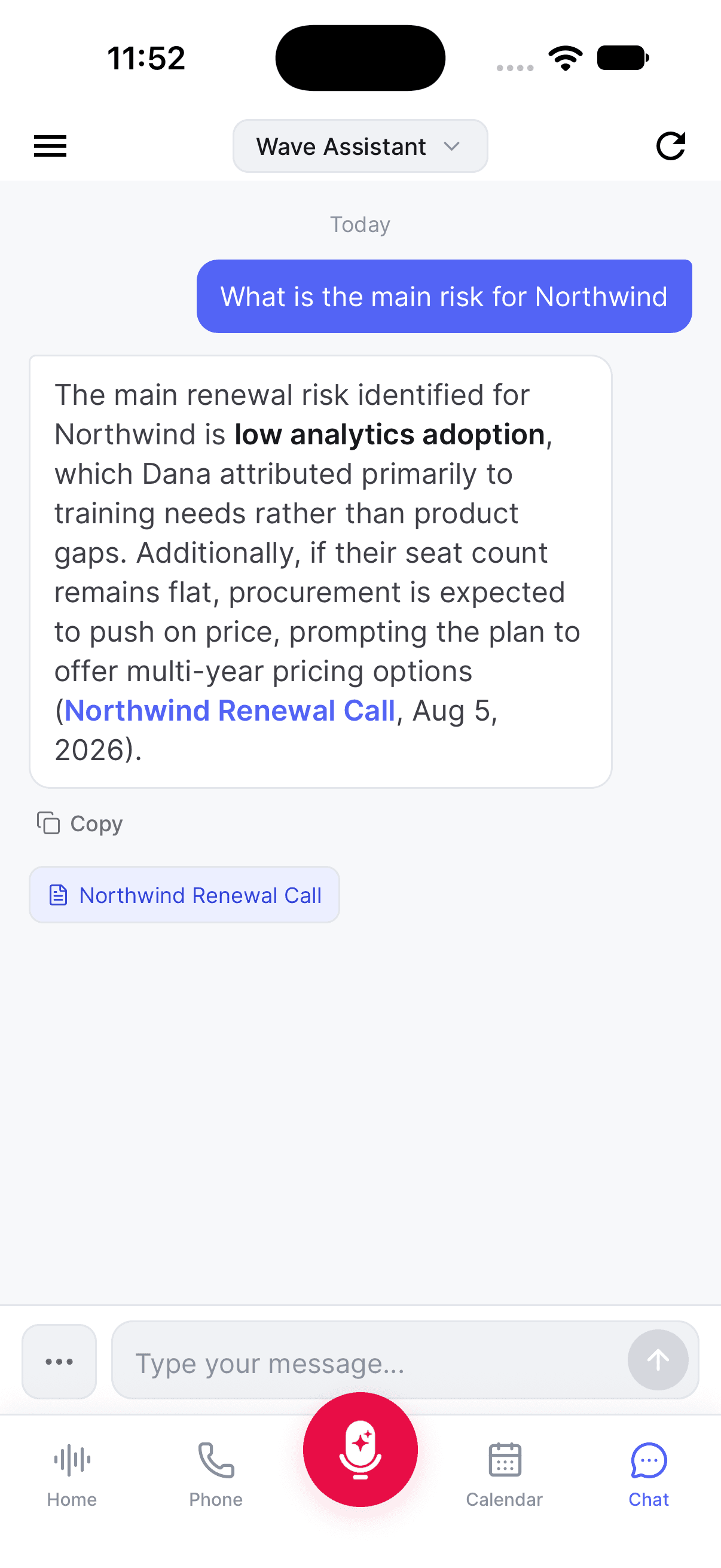
To change what the chat is pointed at, tap the title at the top to open Ask about. Choose Ask Wave for all your sessions, a folder under Folders, or a recording under Recent. The search box at the top finds any session or folder.
You can also start from a recording: open it and tap Ask Wave in the row of action buttons. Under a session's summary, the Ask Wave suggestions are one-tap starter questions about that recording. A chat about one recording opens with all of that recording's suggested questions, and once you've asked something, the ones you haven't asked stay in a More to ask row above the message box.
Contacting support from the app (Settings › Help › Chat with support, or Contact Us when you long-press the app icon, on iPhone and Android; Support in the user menu on desktop) also opens a chat here. Replies from the Wave support team appear in that chat as Wave support.
First time on iPhone or Android? If your account predates automatic indexing, the Ask Wave tab shows Search all your sessions with a Get started button. Tap it once. You'll see Getting your sessions ready… while it runs, usually a few minutes. After that, every new recording is indexed automatically.
What you see while it works
Ask Wave tells you what it's doing as it goes, for example Searching your sessions…, then reading and analyzing, then writing the answer. You can stop an answer partway with the stop button in the message box.
When the answer arrives, the sessions it drew from are listed underneath it: as tappable chips on mobile and desktop, and next to From on the web. Open one to jump straight to that recording.
Ask Wave can also answer questions about using Wave itself, such as where a setting lives.
Your chat history
Your chats across all sessions are saved, so you can pick one back up later.
- iPhone & Android: tap the history icon at the top left to open History. Tap the pencil icon at the top right to start a fresh conversation. Touch and hold a conversation to delete it.
- Web: your past chats are listed on the left under Chats (on a narrow window, click Chats at the top). New chat starts a conversation; the trash icon on a row deletes it.
- Desktop: click History in the header (Hide history closes it) and New chat to start over.
Session and folder chats keep their own conversation attached to that session or folder, separate from your history.
To keep a copy of a conversation, see saving or exporting a Wave AI chat.
Tips
- Be specific. "What was the address John gave me on our call?" beats "find address".
- Ask it to work across recordings: "What decisions have I made in my recent meetings?"
- Naming your speakers, or letting Voice ID do it, makes answers about who said what far more reliable.
- If you're hunting for a particular recording rather than an answer, search is faster than chat.
Was this article helpful?
Still need help?