Importing Audio and Video Files
Turn a recording you already have — a voice memo, a video, an interview — into a Wave session with a transcript and summary.
If you already have audio somewhere else — a voice memo, a downloaded interview, a video of a talk — you can hand it to Wave and get back the same transcript, summary, and AI chat you get from a live recording. Import works on your phone, on the web, and in the desktop app, and the finished session syncs everywhere.
Importing requires an active subscription. On your phone the import button opens the upgrade screen instead; on the web the upload box is disabled behind a Your subscription has expired notice, and the Wave desktop app answers with Subscription required. See Wave Plans & Pricing.
Import a file
There are two ways in: browse your device from inside Wave, or send the file to Wave from whatever app it lives in.
From inside Wave
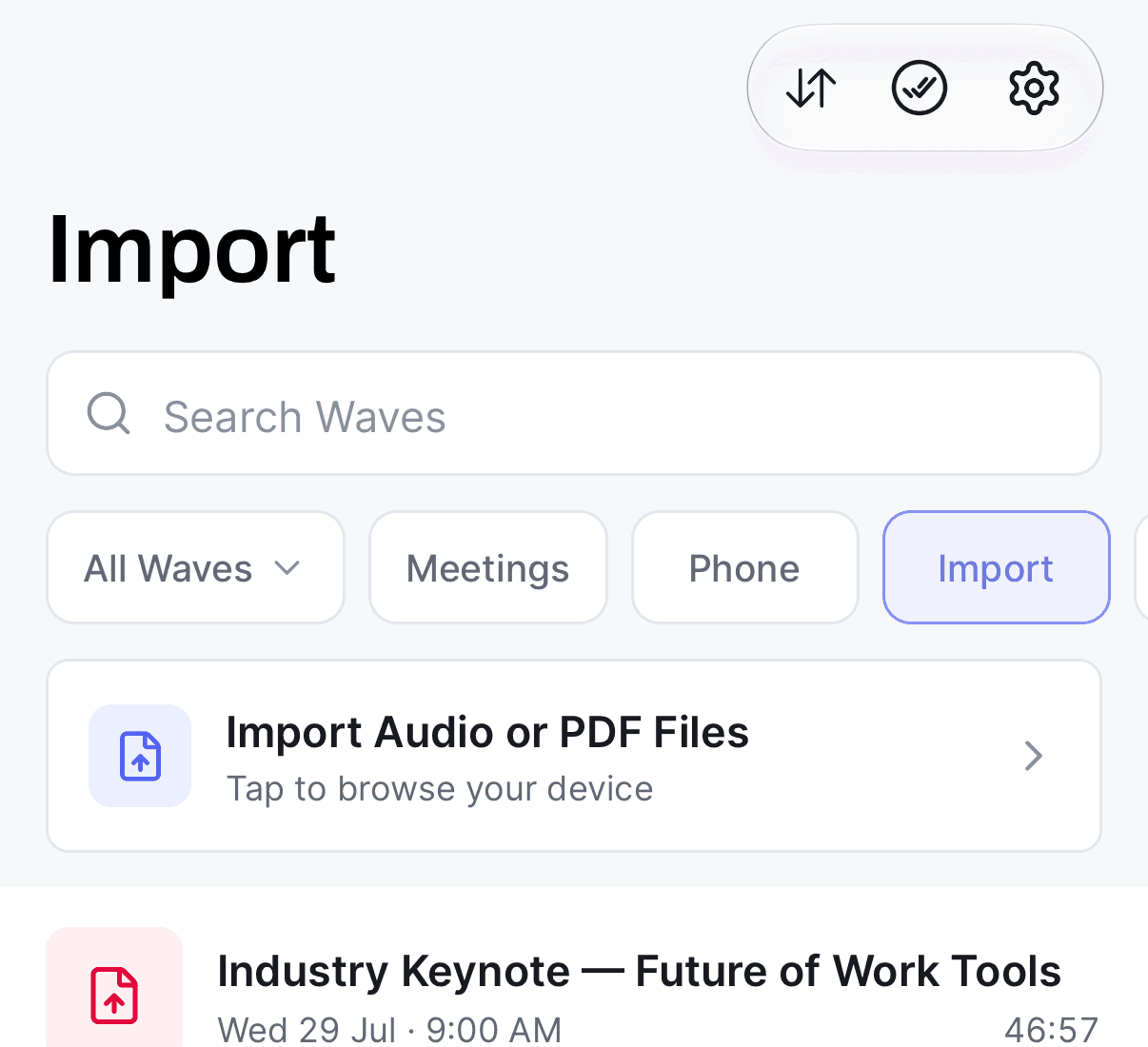
You can also press and hold the record button and choose Import from the menu — it opens the same file browser.
From another app
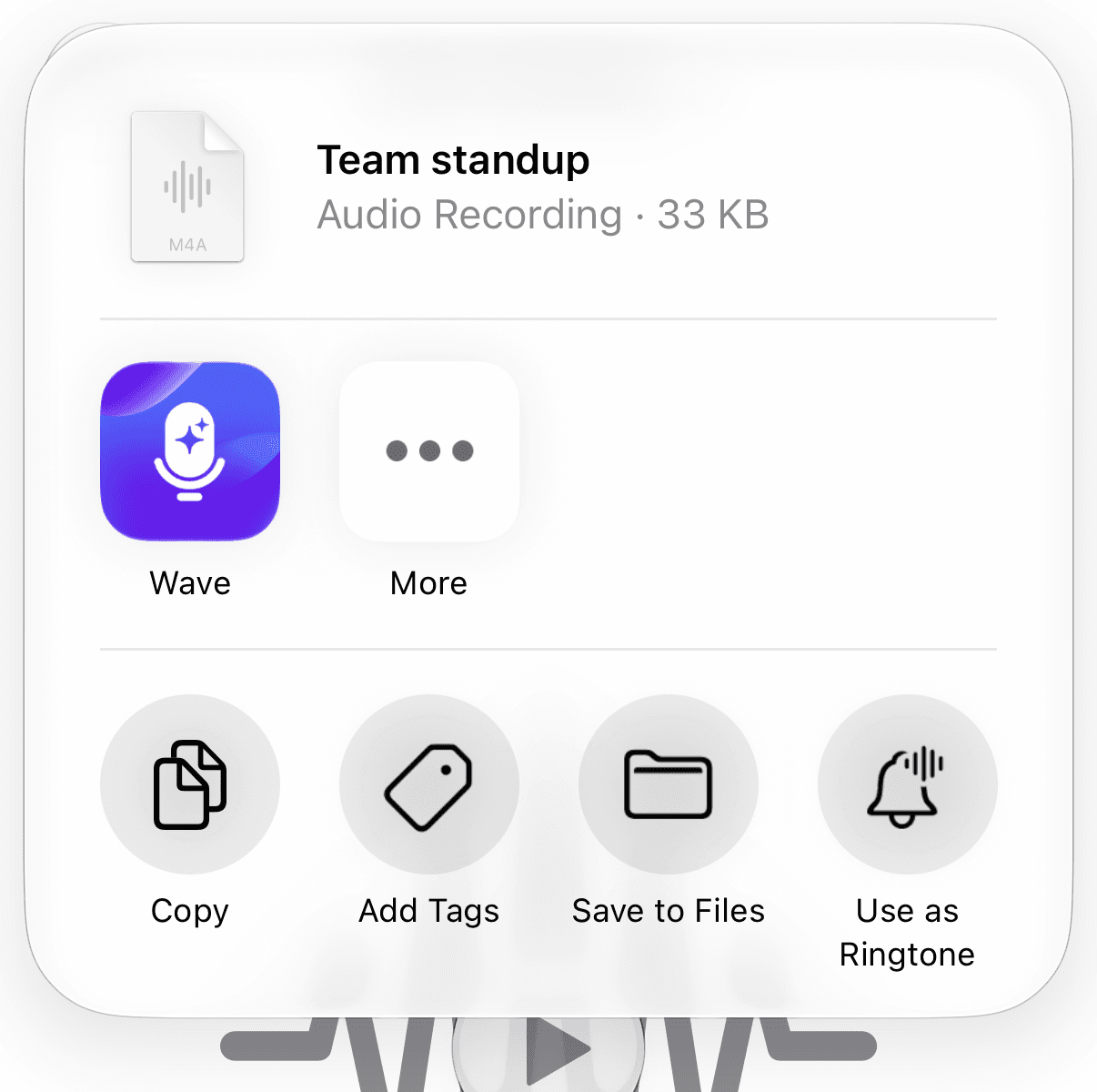
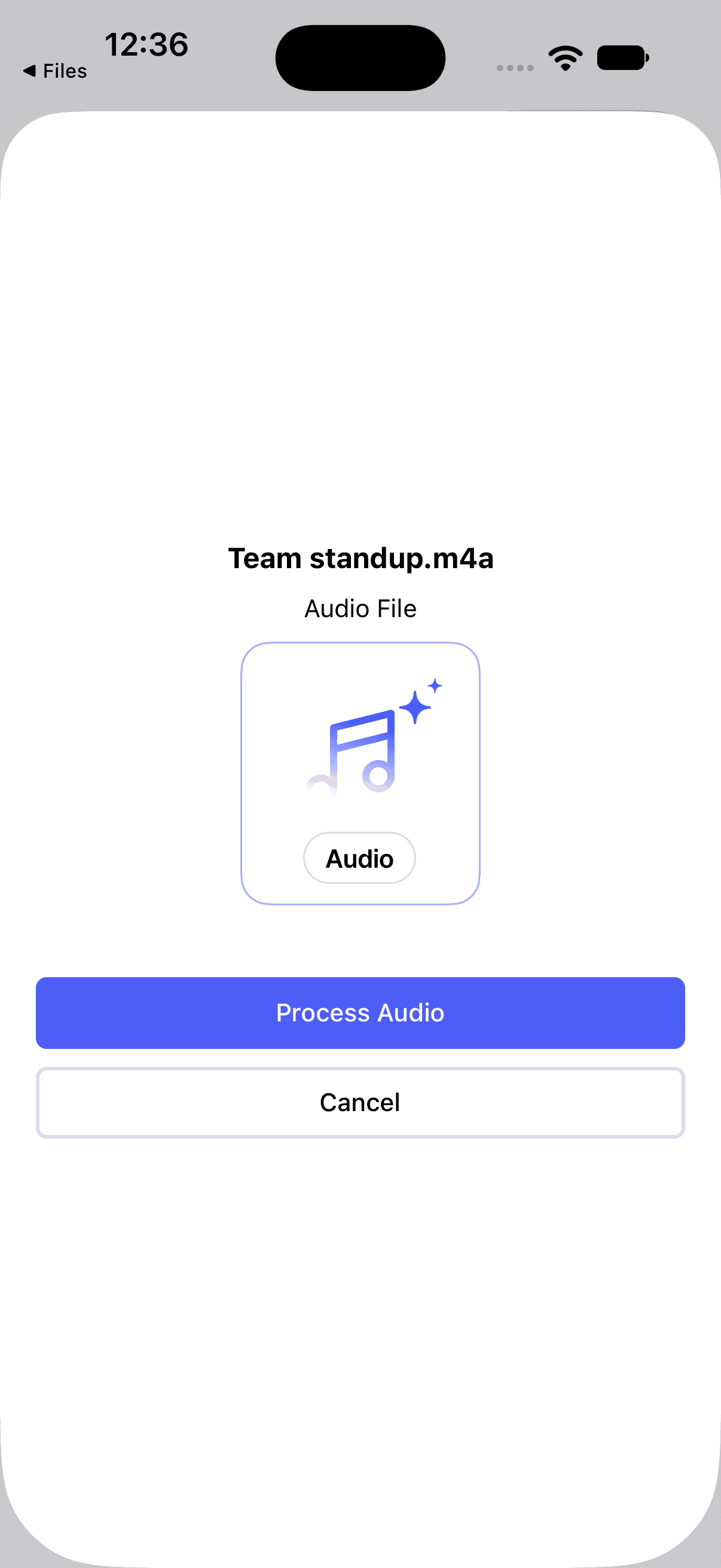
Big files take a while to upload. Wave tells you Please leave the app open while uploading. — do that until the session stops showing an upload in progress.
Supported formats
Each app advertises a slightly different list, because each one uses its own file picker.
- iPhone & Android — most audio types your device can produce, including MP3, M4A, WAV, AIFF, AAC, FLAC, OGG, OPUS, AMR, CAF, and WMA. PDFs go through the same picker. Sharing from another app also accepts video.
- Web — Audio: MP3, WAV, M4A, AMR, AAC, FLAC, OGG, OPUS, AIFF plus Video: MP4, MOV, AVI, WebM | PDF | Up to 500MB.
- Desktop — MP3, WAV, M4A, AAC, FLAC, OGG, WebM, MP4.
Video files are fine — Wave keeps the audio track, transcribes that, and ignores the picture. MP4, MOV, and WebM are the safest containers. AVI is listed by the web uploader but isn't on the list of extensions Wave's processing step picks up, so an AVI can finish uploading and then sit there. If a file uploads but never starts processing, convert it to MP3 or M4A and import it again.
What happens next
The session shows up in your library right away and processes on its own: Wave transcribes the audio, separates the speakers, writes a summary, and names the session for you. Processing happens on Wave's servers, so you can close the app once the upload is done. See What Happens After You Record for the full picture.
Imported sessions are collected under the Import filter in your library.
Other things you can import
- Importing YouTube Videos — paste a link instead of a file
- Importing PDFs into Wave — documents get their own summary format
- Importing Podcasts with WavePod — browse a podcast directory and summarize an episode
Was this article helpful?
Still need help?