Wave Plans and Pricing
What the free tier gives you, what Wave Pro unlocks, and exactly what happens when your free minutes run out.
Wave has two plans. The free tier gives you 30 recording minutes a month; Wave Pro removes the limit. There are no other tiers, and one subscription covers every place you use Wave — phone, web, desktop, and watch.
The free tier
Free accounts get 30 minutes of audio per calendar month. That's a pool, not a per-recording cap: a 20-minute meeting and a 10-minute voice memo use it up just as fast as one 30-minute recording.
- Everything that gets transcribed counts — recordings, imported files, phone calls, and meetings the bot joins.
- The pool resets on the 1st of each month. Unused minutes don't roll over.
- Recordings you already made stay in your library forever. Running out stops you making new ones; it never deletes or locks the ones you have.
Wave Pro
One paid plan, no tiers:
- Unlimited recordings — no cap on how long or how many.
- Unlimited AI notes — summaries, action items, and transcripts on every session.
- Everything else Wave does: Voice ID, meeting bots, phone calls, exports, and cross-session chat.
Pro is billed weekly, monthly, or annually depending on where you buy it. Annual is the cheapest per month.
When your free minutes run out
Wave switches from "free" to "needs an upgrade" the moment your month's usage passes 30 minutes, and it applies everywhere at once — the same account state gates every device. What you see differs by platform.
The plan screen appears when you tap the record button, share a file into Wave, start a phone call, or open a podcast episode to transcribe. It also appears once when you open the app. Your library, transcripts, summaries, and chat stay fully available — only new capture is blocked.
A crown icon sits next to the Settings gear in the header while you're on the free tier. Tap it any time to see plans.
Checking what you've used
Every client shows your minutes against your plan:
- iPhone & Android — Settings → Plan & Usage, top row: "Usage: 12 of 30 mins". Subscribers see ∞ instead of 30.
- Web — Settings → Plan & billing: "12 of 30 minutes" on the free plan, or "12 minutes used this period" with Unlimited recording minutes on Pro.
- Desktop — click your name → Settings → Account → Plan shows your plan and Manage subscription.
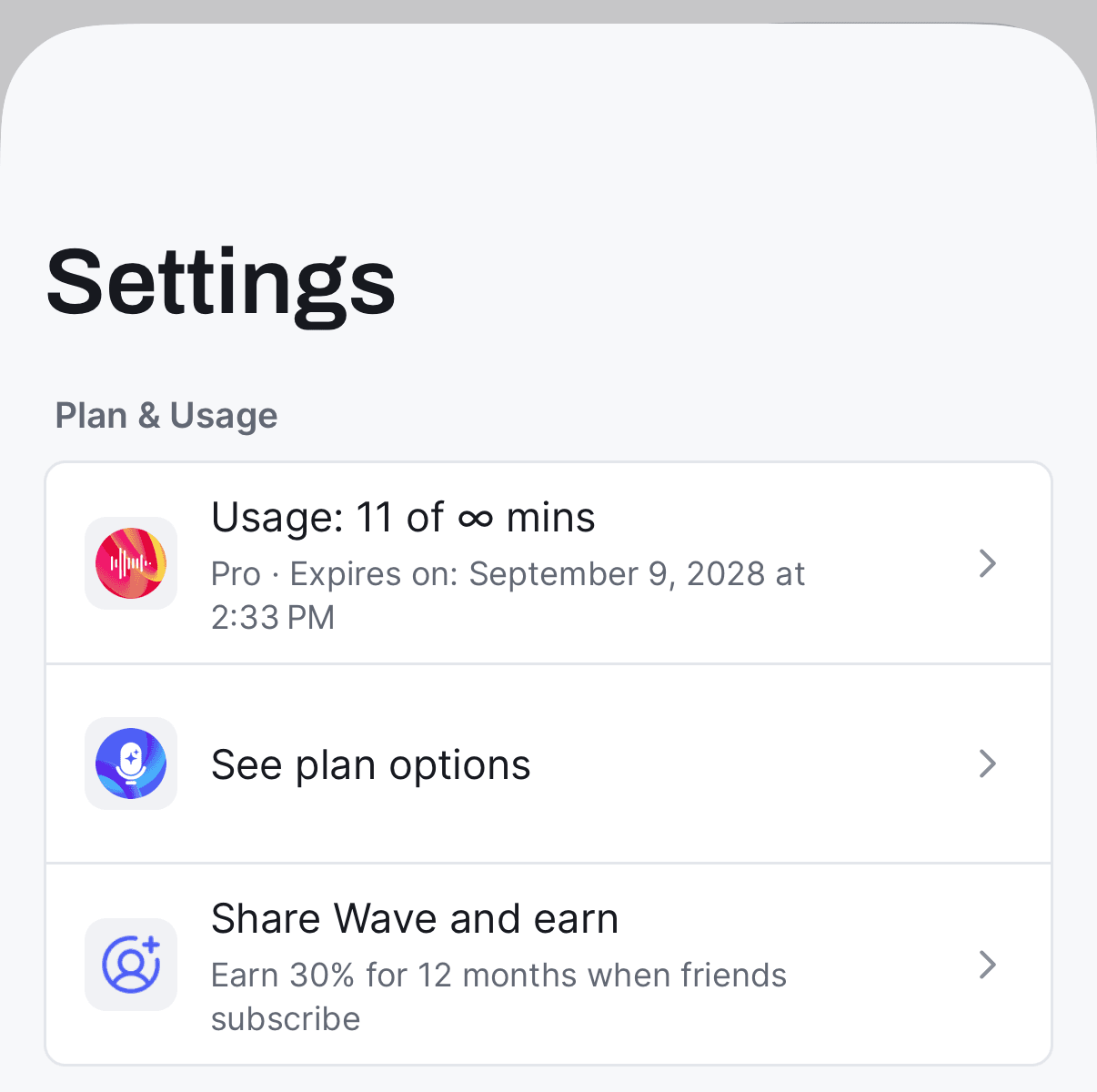
Full instructions for changing or cancelling are in managing your subscription.
Where to buy
You can subscribe from inside the iPhone or Android app (billed by Apple or Google), or on the web at go.wave.co/buy (billed by Stripe). Desktop always sends you to the web checkout — it never charges in the app.
Prices vary by country and by where you buy, so check the live price on the plan screen. Whichever route you take, sign in with the same account you use in the Wave app so the subscription lands on the right profile — see using Wave on multiple devices.
If you already subscribe on the web through Stripe, don't buy again inside the app. Wave routes you to the Stripe portal instead, so you can change plans on the subscription you already have rather than paying twice.
FAQ
Yes. Pro is attached to your Wave account, not your device. Sign in with the same account anywhere and your subscription comes with you.
We simplified to one paid plan. Legacy Standard subscriptions keep working, and any active paid subscription now gets unlimited recording minutes.
Yes. Anything Wave transcribes counts toward the 30 minutes, regardless of how the audio got in.
Yes — a discounted Student annual plan is available at app.wave.co/sessions/student. Sign in first.
Yes. Ask your admin for a license key and redeem it — see joining a team account. If you're the one buying for your company, see Wave Teams.
Was this article helpful?
Still need help?