Importing YouTube Videos
Paste a YouTube link and get a transcript, a summary, and an AI chat you can ask about the video — without watching it.
Give Wave a YouTube link and it pulls the video's captions, writes a summary, and creates a normal Wave session — searchable, chattable, exportable, with the video embedded so you can jump to any moment. Useful for long talks, lectures, and interviews you don't want to sit through.
Wave reads the video's captions rather than listening to it, so Only videos with available captions can be transcribed. Most public videos have them; brand-new uploads, live streams, and members-only videos often don't.
Import a video
Paste a link in Wave
Press and hold the record button and choose YouTube to open the same box from anywhere in the app.
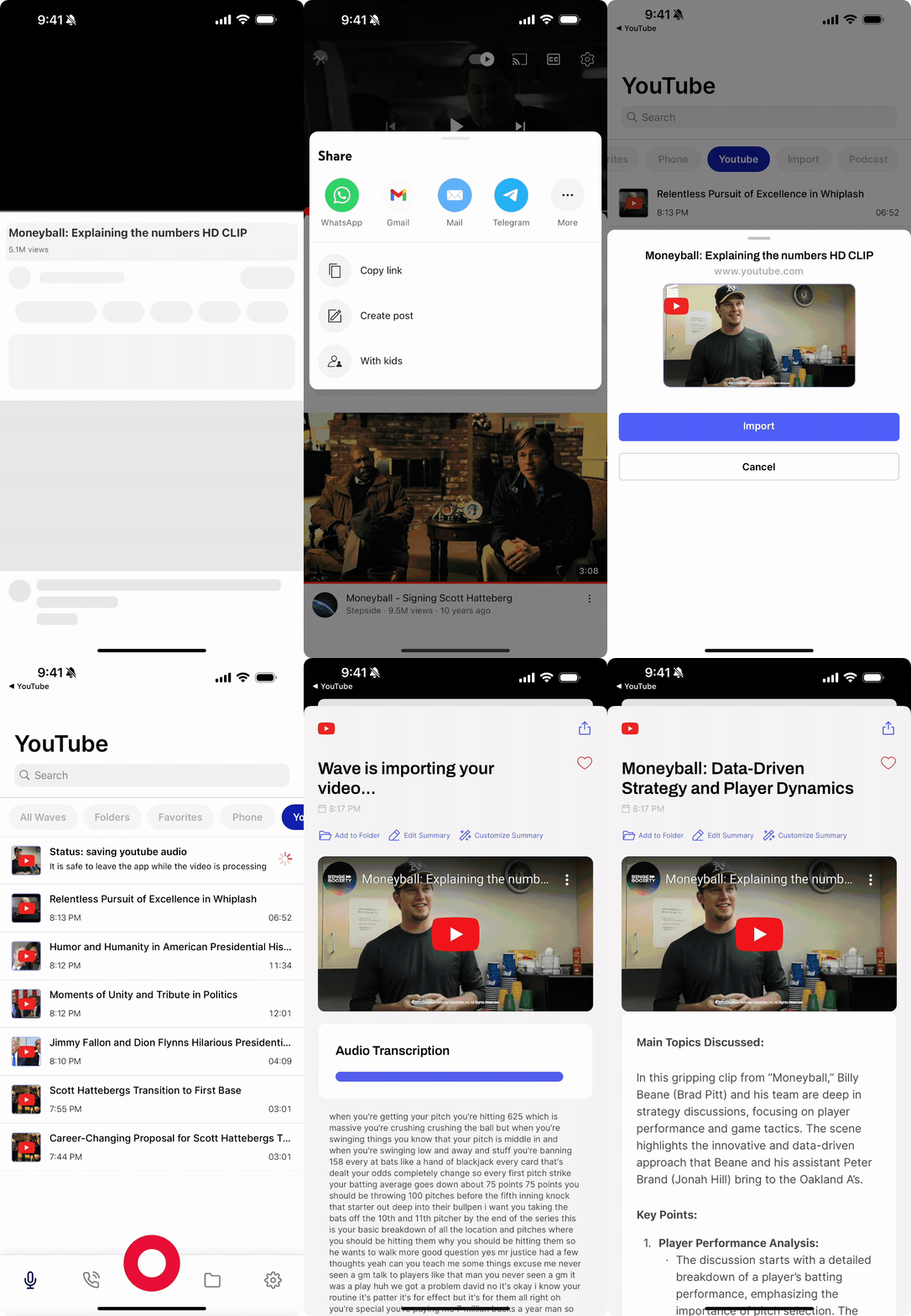
Share from the YouTube app
What you get
The finished session behaves like any other Wave session, with one difference: instead of an audio player it shows the YouTube video embedded at the top, so you can watch along while you read. Everything else is there — summary, transcript, action items, and AI chat about the video. You can share or export it like anything else in your library.
Imported videos are grouped under the YouTube filter in your library. Importing requires an active subscription: on your phone Wave opens the upgrade screen instead of importing, on the web the URL field is disabled behind Upgrade to import YouTube videos, and the Wave desktop app reports Subscription required.
FAQ
The full message is This video does not have a transcript or captions available. The video creator may not have enabled captions. Wave can't work around this — it needs the creator's captions. Try a different video, or wait: YouTube sometimes adds auto-captions to a new upload hours after it goes live.
This video doesn't exist, may be private, or the URL is invalid. Please check the video URL and try again. Copy the link again from the video page — a truncated link, a private video, or a deleted video all land here.
This video is members-only content and requires a channel membership to access. Only publicly available videos can be processed. There's no way around a gated video.
The YouTube service is temporarily unavailable. Please try again in a few minutes. This is a passing upstream problem, not something wrong with your link. Wave retries these itself; if the session is still stuck after a few minutes, import it again.
Standard watch links, youtu.be short links, Shorts, live URLs, and embed links all resolve. Please enter a valid YouTube URL means what you pasted isn't a youtube.com or youtu.be address at all. Could not extract video ID from URL means it is a YouTube link, but Wave couldn't read a video ID out of it — open the video and copy the link fresh.
Related
Was this article helpful?
Still need help?