Navigating Your Wave Library
Sort and filter your recordings down to the ones you want, and rename, file, favorite, or delete a Wave without opening it.
Everything you record, import, or send a bot to capture lands in one list. Filters cut that list down to the kind of Wave you're after, and a long press or a swipe handles the everyday chores — rename, re-date, file, favorite, delete — without opening anything.
Sorting and filtering the list
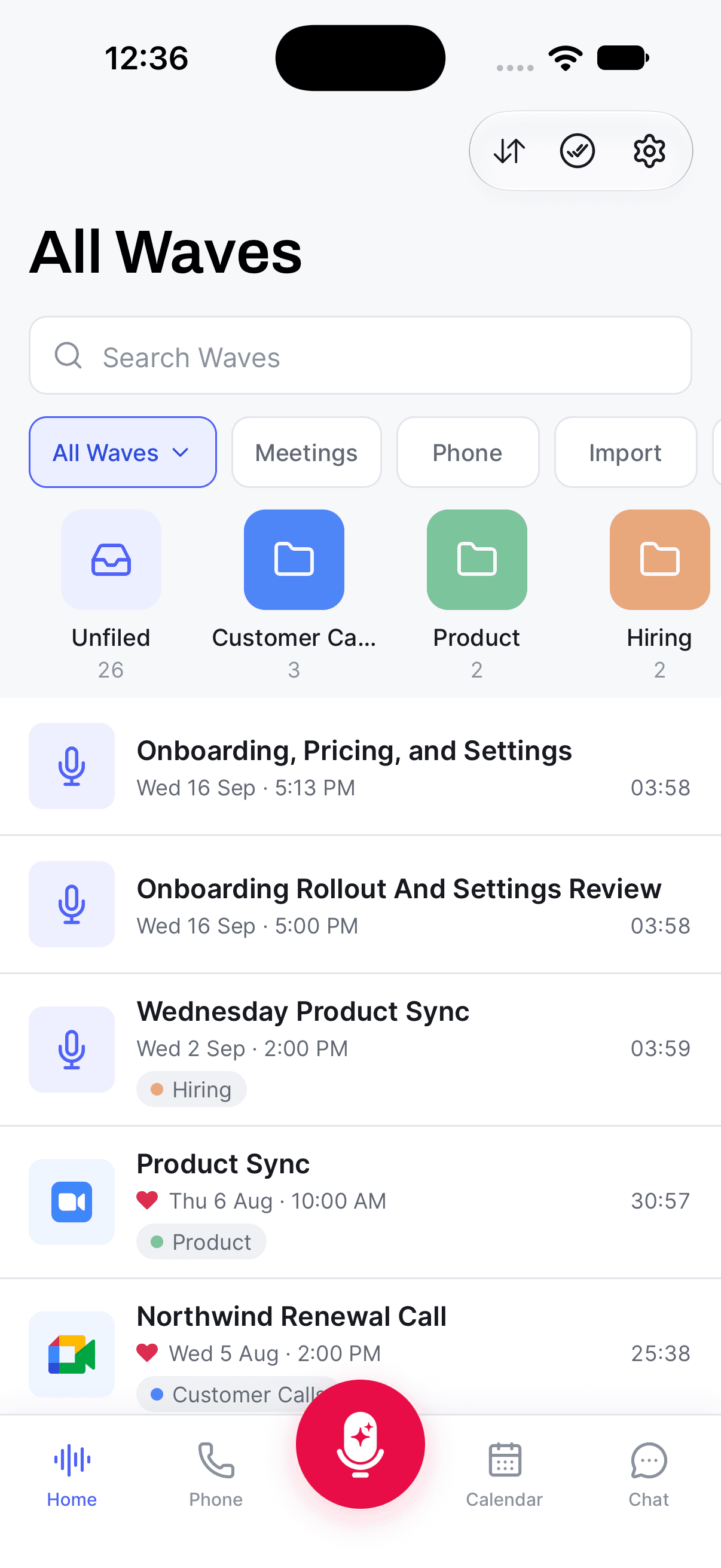
A row of chips sits above your Waves. The first chip is a dropdown:
- All Waves — everything, in the order you've picked with the sort button.
- Folders — swaps the list for your folders. Tap one to see what's inside.
- Unsorted — Waves that aren't in any folder. This option only appears once you've put at least one session in a folder.
- Favorites — everything you've hearted.
- Recently Deleted — the 30-day holding area for deleted Waves.
To the right of the dropdown are type chips: Meetings, Phone, Import, Podcast, and YouTube. Import is the broadest of them — it covers audio files, PDFs, and anything you've sent to Wave from another app's share sheet.
Tap a type chip and a helper card appears at the top of the list for that kind of Wave — Import Audio or PDF Files ("Tap to browse your device"), Record a Zoom / Meet / Teams Meeting, Record Phone Calls, Import from WavePod, or Import YouTube Video. Tap the card to start one right there instead of hunting for the feature elsewhere.
If a filter has nothing in it yet, you get copy for that specific case rather than a blank screen — "No YouTube Imports Yet", "No Phone Recordings Yet", and so on.
To change the order, tap the sort button (two arrows) at the top right of Home, next to Action Items. The Sort by menu has three choices:
- Newest first — the default.
- Oldest first
- Title — A to Z.
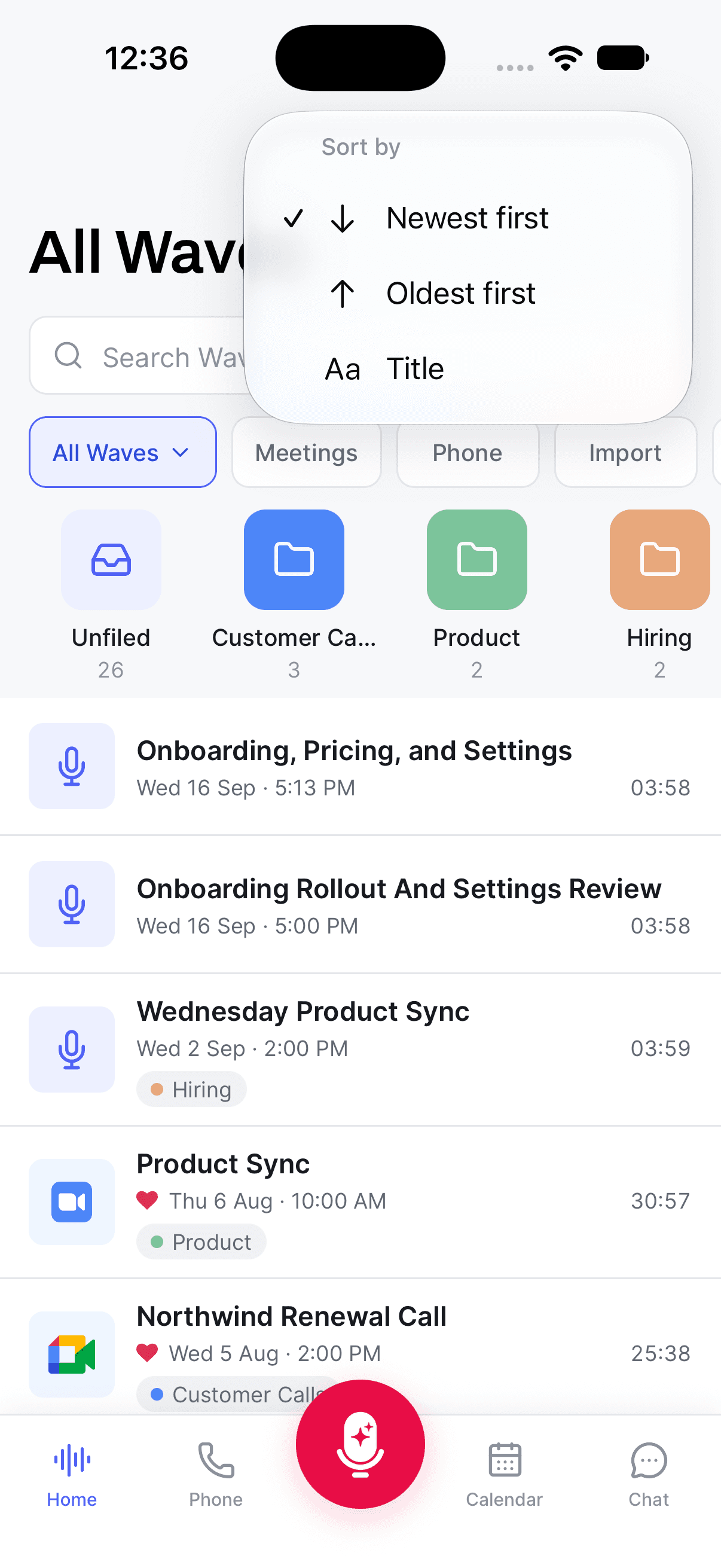
Your choice sticks on that phone and carries across All Waves, Favorites, Unsorted, and the type chips. Folders keep their own sort order, Recently Deleted always shows the most recently deleted first, and search results use their own Best Match / Recent toggle.
Quick actions on a single Wave
Press and hold any row to open the Actions sheet:
- Edit Title — type a new one and tap Save. Wave's AI title is only a starting point.
- Edit Date/Time — for recordings that happened at a different time than they were imported.
- Select — starts multi-select so you can act on several Waves at once.
- Add to Folder — or Remove from Folder when you're already looking inside one.
- Favorite / Unfavorite.
- Share — opens the Wave, where the full share and export options live.
- Delete — moves it to Recently Deleted for 30 days.
Swiping a row to the left is the shortcut for the three most common: Add to Folder, Delete, and Favorite.
Inside Recently Deleted, both the long press and the swipe change to Restore and Delete Forever.
Delete Forever skips the 30-day window. The recording, transcript, summary, and chat history all go, and support can't bring them back.
Where to go next
- Search across everything when a filter isn't specific enough.
- Folders and favorites for longer-term organization.
- Bulk actions for moving, deleting, or merging several Waves at once.
- Recently Deleted to get something back.
- Changing a Wave's date or time in more detail.
Was this article helpful?
Still need help?